


Why Lambdas don’t pick up changes to Environment variables?
Why Lambdas don’t pick up changes to Environment variables?
In the past we have observed that when we update an environment variable for our lambdas in production the changed don’t get reflected immediately on our warm Lambdas. After a dived deep I found why this is happening and how we can change the environment variables in Production without the need of a new deployment.
What we know so far
What is an environment variable? Where are they stored?
An environment variable is a pair of strings that is stored in a function’s version-specific configuration. source
In the lambda lifecycle, when do environment variables get initialized?
During the Init phase. This is triggered during a cold start, either on demand when provisioning new lambdas (using $LATEST version of the lambda). or when initializing a provisioned lambda
For more details about the Lambda lifecycle see: https://docs.aws.amazon.com/lambda/latest/dg/lambda-runtime-environment.html
How does the Init phase work for Provisioned concurrency?
When you use provisioned concurrency, Lambda initializes the execution environment when you configure the PC settings for a function. Lambda also ensures that initialized execution environments are always available in advance of invocations. You may see gaps between your function’s invocation and initialization phases. Depending on your function’s runtime and memory configuration, you may also see variable latency on the first invocation on an initialized execution environment.
Can we update the environment variables of a lambda that is already initialized (warm) ?
No
When you publish a version, the environment variables are locked for that version along with other version-specific configuration settings. Source
This also applies for lambdas that have provisioned concurrency, because provisioned concurrency is tied to an Alias and a Lambda version
You cannot use provisioned concurrency with the $LATEST version of any function. If your function has an event source, make sure that event source points to the correct function alias or version. Otherwise, your function won’t use provisioned concurrency environments. Source
Because warm lambdas and lambdas that were provisioned in advance are tied to the Lambda version, and because the Environment variables are part of the Lambda configuration they are locked and can not be updated once they are initialized.
How can we update the the environment variables effectively in Production with Provisioned concurrency?
It is possible to do so in the following way
Change environment variables in the $LATEST version of your Lambda function
This is done when we update the environment variables either using the console or the AWS CLI
Note: Changing the environment variables only updates the $LATEST version, but does not publish a new numbered version
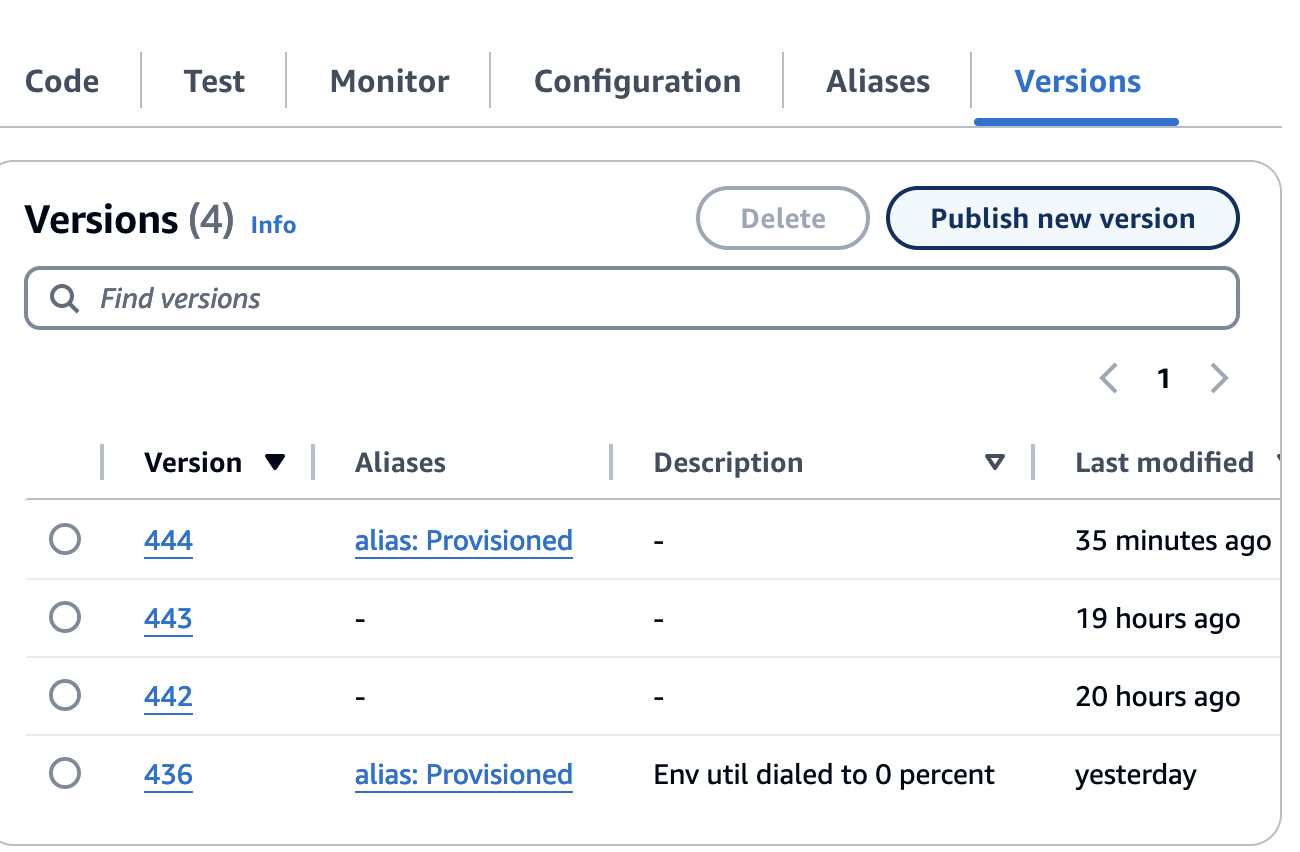
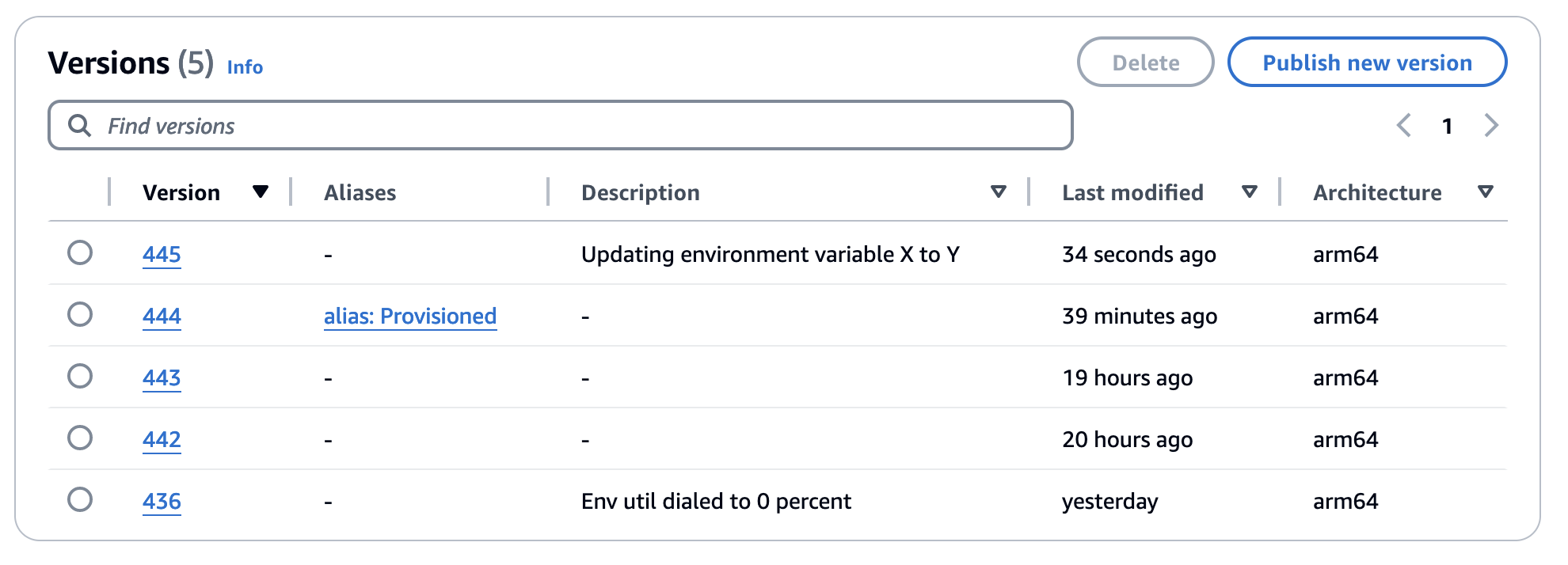
Publish a new function version
To publish a new version using the aws cli go to Lambda > Functions > **<Your_lambda_function> **> Versions > Publish new version
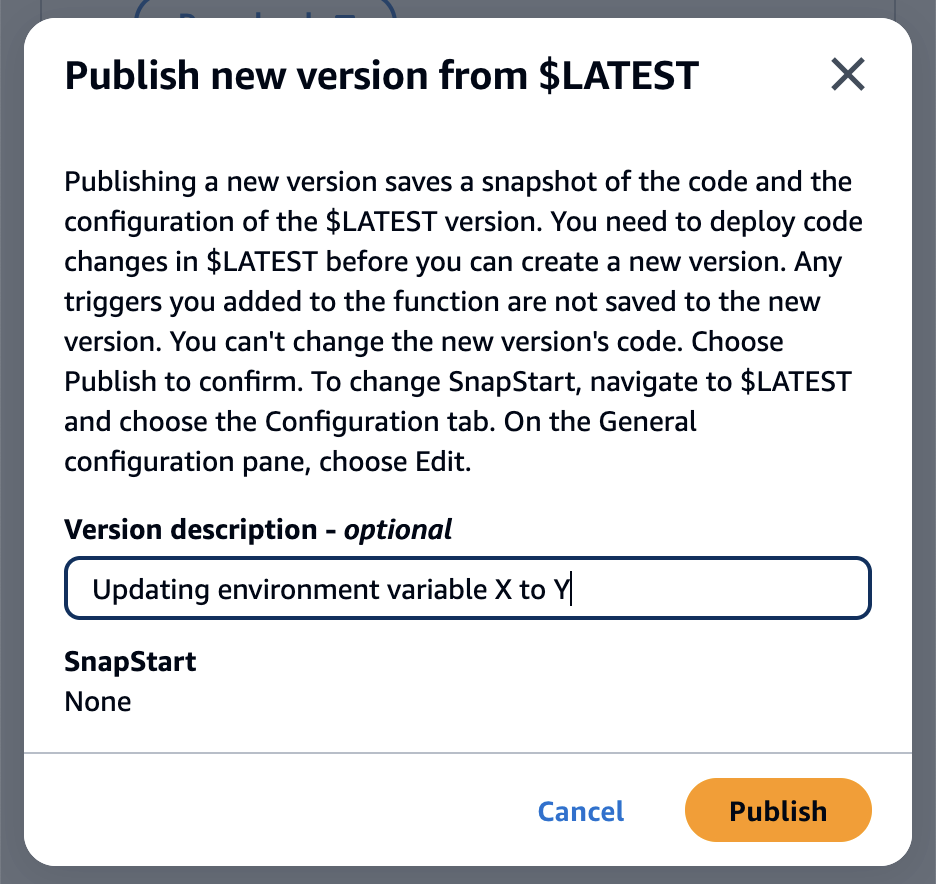
You can add a description to it, and click Publish
This will publish a new version with the updated environment variables
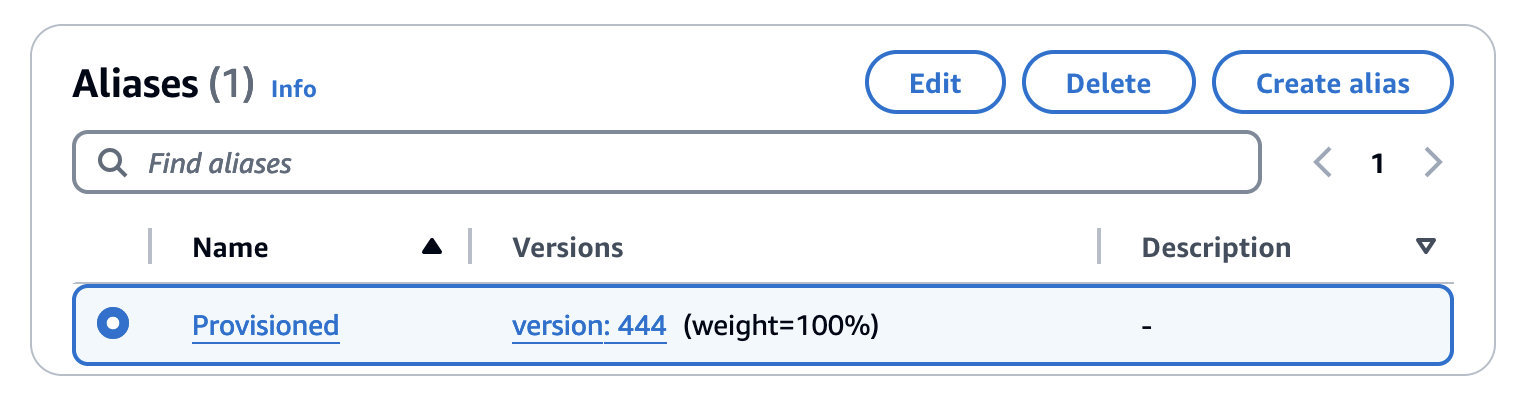
Update the Alias used for provisioned concurrency to use the new published version
go to Lambda > Functions > **<Your_lambda_function> **> Aliases > Select your alias
Click Edit
Change the version of the alias to the version we just published (445 on the example)
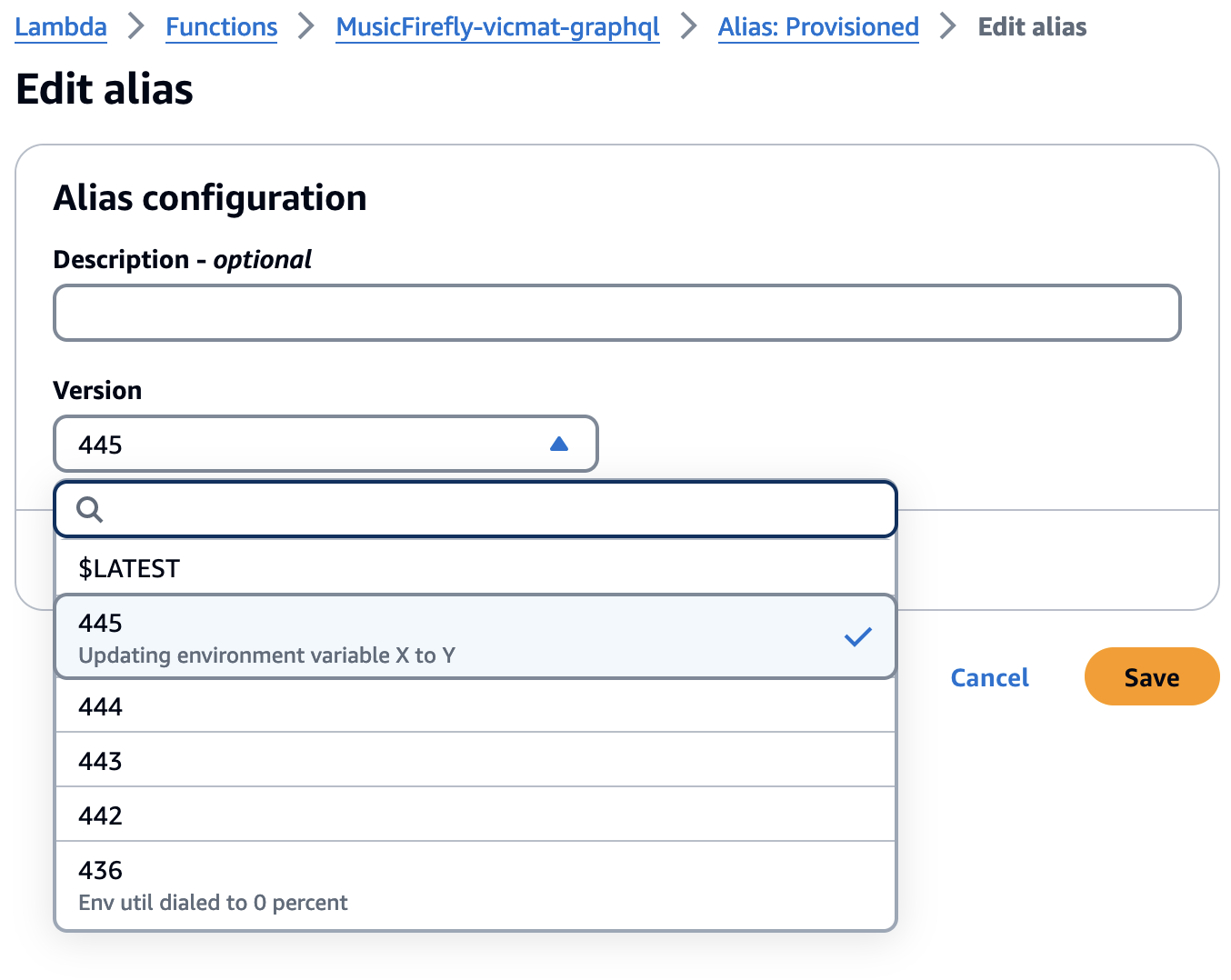
Click Save
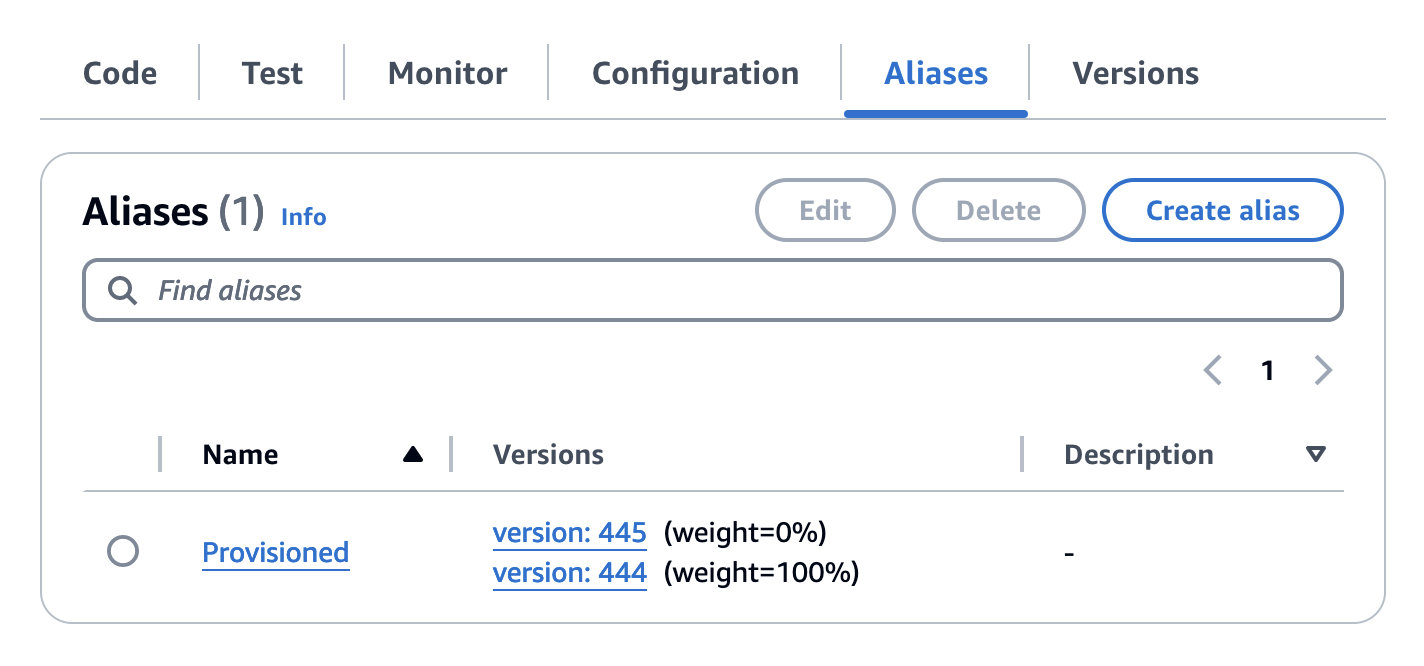
Provisioned lambdas will slowly be initialized using the new version, including the environment variables changes we just made and will replace the current initialized lambdas
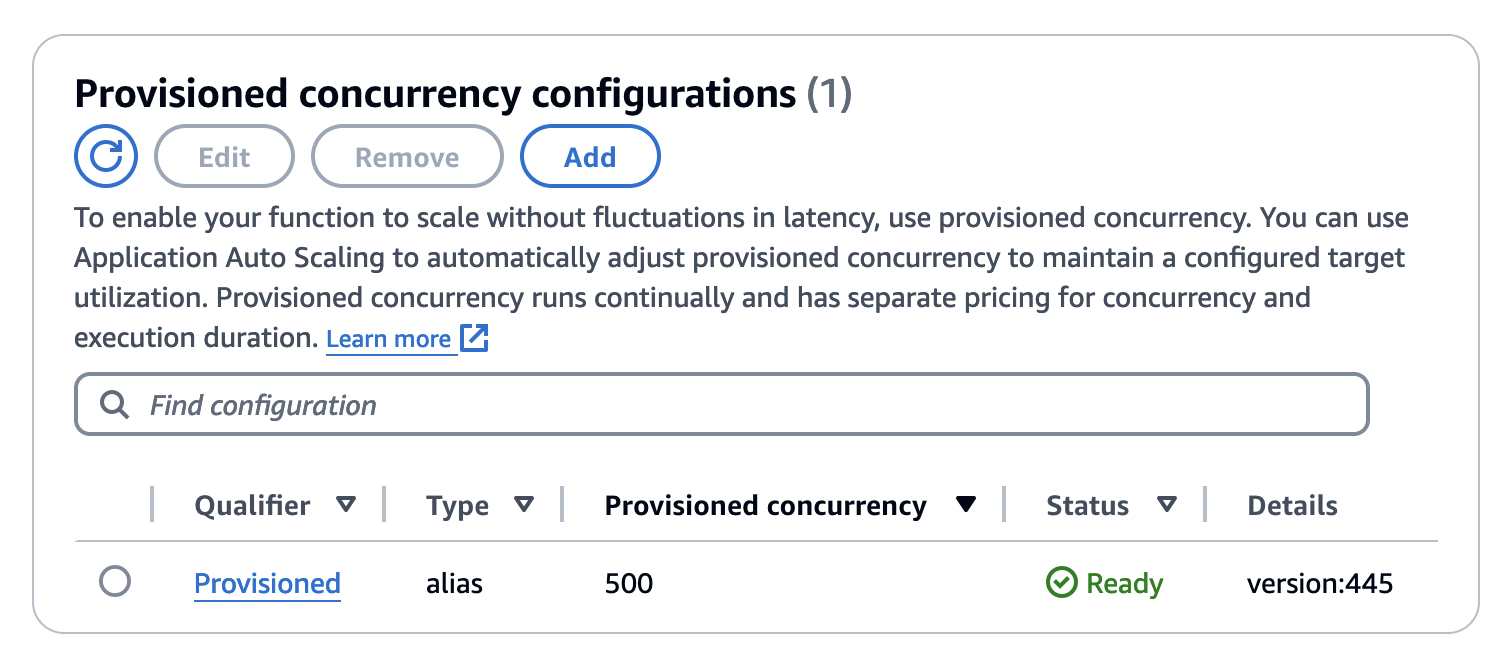
Progress can also be monitored under the Configuration section
here we can see the provisioned alias has fully initialized all the 500 lambdas to use version 445
More details about the steps mentioned can be found here https://repost.aws/knowledge-center/lambda-version-environment-variables
That’s it!
Now you can update your provisioned lambdas without having to wait for a deployment.
See you next time!
FAQ
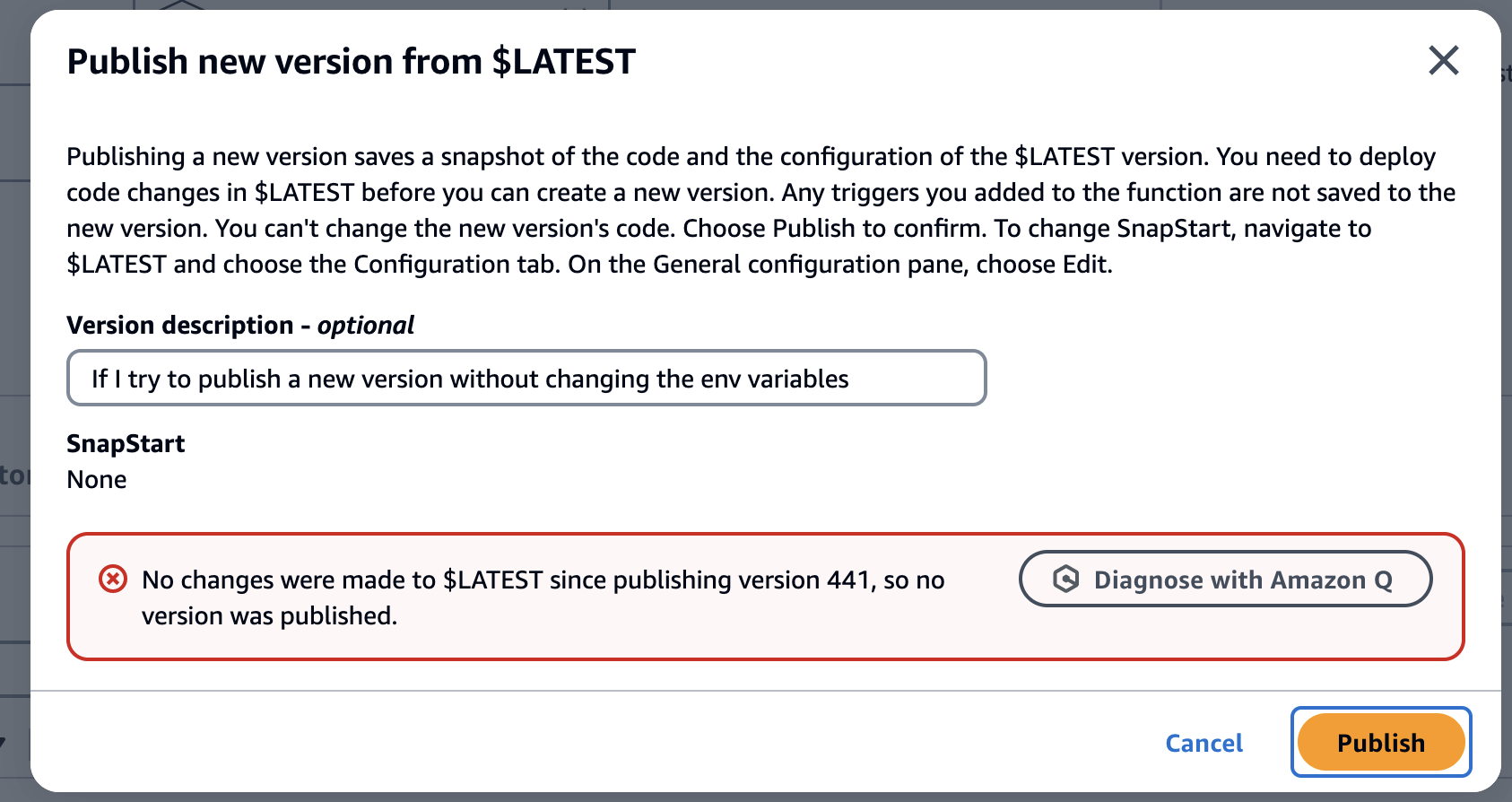
What would happen if I try to publish a new version without updating the environment variables?
You won’t be able to, AWS will detect there are no changes to the Lambda code or the Configuration
Additional resources
https://docs.aws.amazon.com/lambda/latest/operatorguide/execution-environments.html
https://docs.aws.amazon.com/lambda/latest/dg/configuration-envvars.html#configuration-envvars-config
https://repost.aws/knowledge-center/lambda-version-environment-variables
https://docs.aws.amazon.com/lambda/latest/dg/lambda-runtime-environment.html
https://repost.aws/knowledge-center/lambda-version-environment-variables